
5 event venue marketing jobs AI can prepare
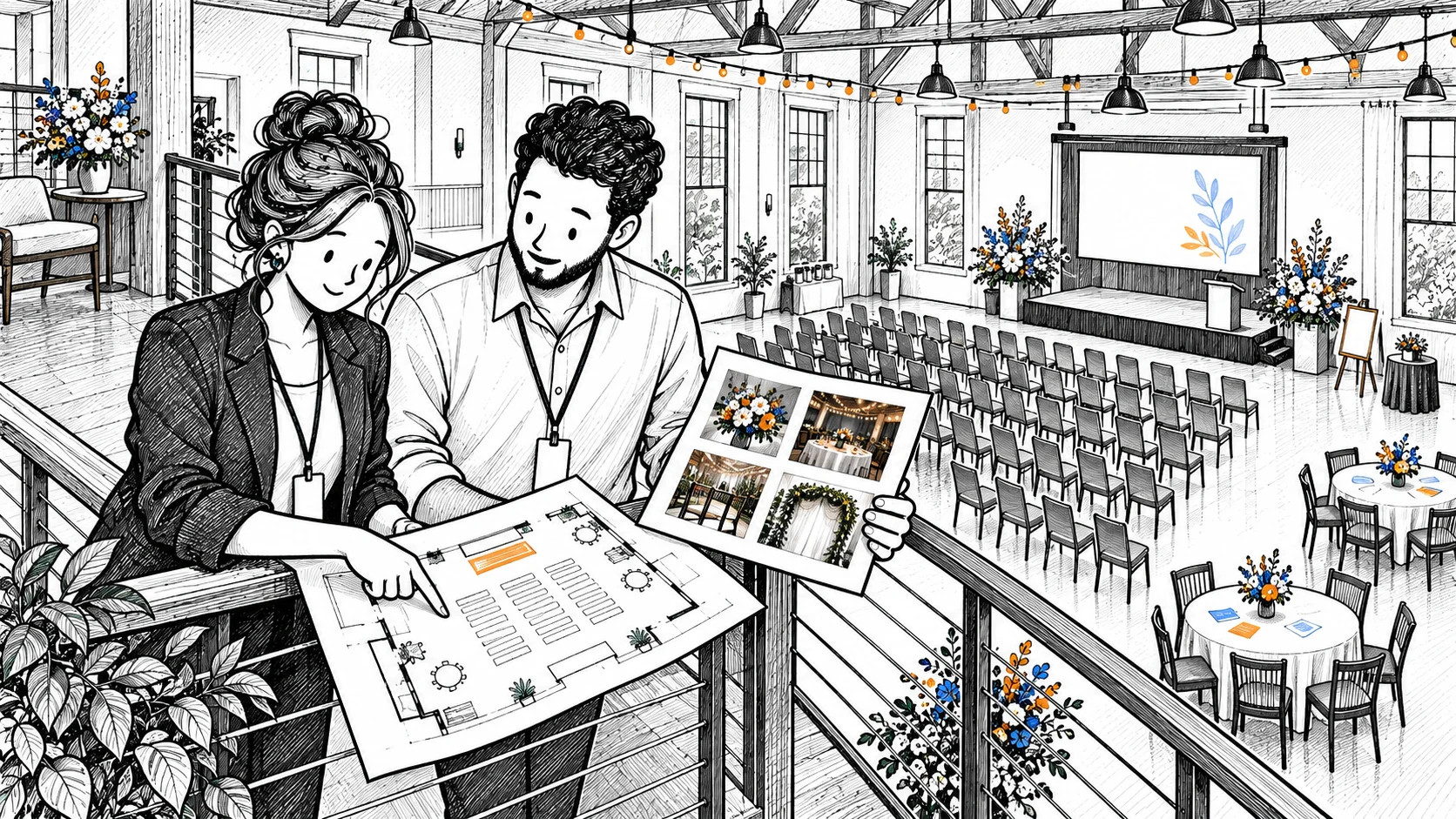
The gallery shows a busy workshop. An organizer asks whether the room will take 40 people at tables. A photograph drew them in, but your layout information has to answer the question.
AI marketing for event venues could help connect current room facts, permissioned photographs and inquiries. An agent could prepare captions and replies, flagging details the venue team needs to confirm.
The five proposed jobs below require suitable tools, access and staff review. Our fictional venue lists 36 seats at tables and 60 in a theatre layout. Those illustrative facts aren’t capacity calculations for your room. None of the examples describes a customer result or tested BoastOS feature.
1. Explain the room behind an event photo
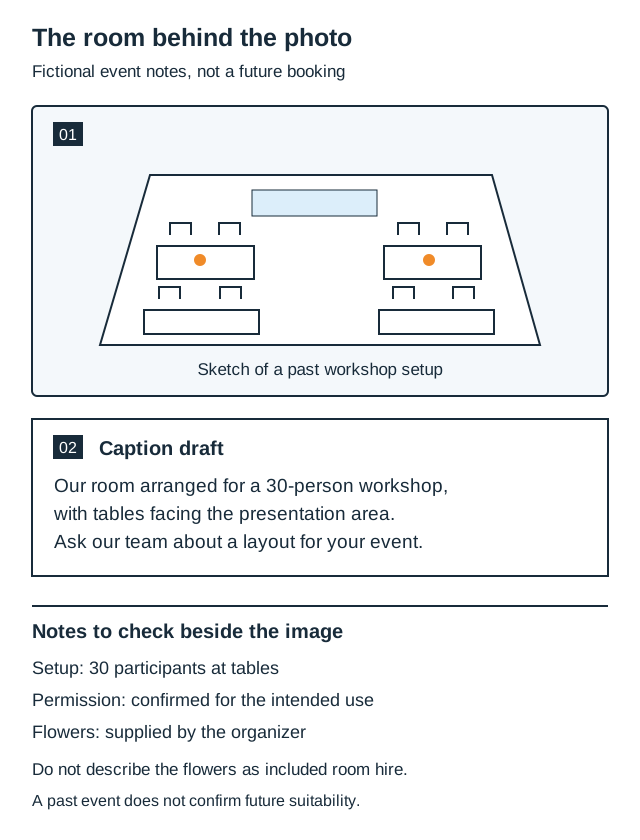
Our photograph shows a past workshop with 30 people at tables facing the presentation area. The event notes identify the setup and permitted image use. An agent could prepare this caption from them:
Our room arranged for a 30-person workshop, with tables facing the presentation area. Ask the venue team about a layout for your event.
That helps an organizer picture the setup. It doesn’t establish that their guest count, equipment or workshop requirements will fit.
Check the other visible details. The flowers came from the organizer; the lighting equipment belonged to the photographer. Include that context in the agent’s source notes so neither becomes an advertised hire inclusion. Staff review the caption beside the image and check permission for the intended website or social use.
Start with photos whose notes and permissions are complete. They could explain table arrangements or the presentation area, with event-specific details identified. This is a useful source of event venue marketing ideas when an attractive gallery leaves readers asking what they’re actually seeing.
2. Turn a recurring facility question into useful content
“Do you have a projector?”
The fictional venue does. Its current notes don’t establish whether hire includes it or what connection the organizer needs. An agent could prepare a limited reply saying a projector is available and asking the person to confirm hire arrangements and connections with the team.
The manager’s task is more specific:
Confirm projector inclusion and connection details before the facilities page is updated.
Once settled, those facts can support an FAQ, page paragraph and inquiry reply. Copying another venue’s equipment list would fill the page without answering the question about your room.
3. Prepare a seasonal invitation around a visit
Your autumn campaign could invite local organizers to discuss weekday events. It doesn’t need an invented package to give someone a next step.
An agent could draft from the campaign brief:
Planning a weekday event this autumn? Talk to our team about your room setup and arrange a visit. Share your preferred date and guest count so we can discuss the next step.
Staff check the invitation and add the approved contact route. Promoting a particular open date or package needs the manager’s current confirmation. The season alone says nothing about availability, and an invitation doesn’t book a visit.
Event venue marketing automation could prepare the email and social versions from that same confirmed information.
4. Give a potential partner a specific collaboration proposal
The photographer from the workshop has an overview and a table-detail image. Your coordinator wants a room guide that explains the arrangement. An agent could prepare an approach:
Would you like to discuss a short photo story about the workshop layout you photographed here? We’d like to explain the table arrangement on our venue website. Before preparing it, we’d agree the images, credit and caption details with you.
Keep a preparation note with the proposal:
| Detail | Proposed or still to agree |
|---|---|
| Use | Venue website room guide |
| Images requested | Workshop overview and table detail |
| Photographer discussion | Image permission, credit and caption approval |
| Coordinator check | Organizer’s existing arrangements and any further approval needed |
The venue supplies room facts, while the photographer discusses the images. The organizer may need to approve their use too. The note helps staff continue the conversation without treating a proposal as an existing partnership. Preferred-supplier status or exclusive referrals need separate confirmation.
Choose this job when a particular event could support useful room content and you know whom to approach. The recipient can see what you’re asking to make together.
5. Draft an inquiry reply that catches the layout mismatch
“Can you host 40 people at tables in November, with catering?”
Forty is below the theatre figure of 60. It is above the approved table layout’s 36. That distinction changes the reply.
Ask the agent to compare the request with the room facts before drafting. It should identify the table-layout mismatch, missing exact date and unconfirmed catering. A review draft could read:
Our room information lists 36 seats at tables and 60 in a theatre layout. Your request is for 40 at tables, so we need to discuss the setup before confirming suitability. Would another arrangement work? Please share your preferred November date. Our manager will confirm availability and catering arrangements.
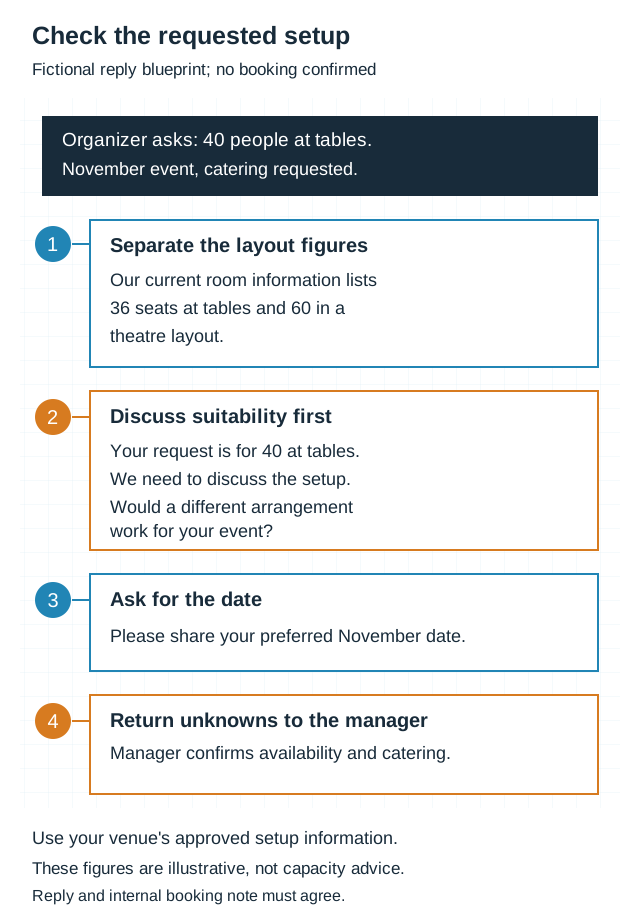
The internal note should carry the same unresolved tasks: discuss another arrangement, confirm suitability, obtain the date and settle catering. Labeling it a confirmed 40-person booking would contradict the public reply.
Choose this event venue marketing job when organizers send partial requests or combine facts from different layouts. The agent prepares the comparison and questions; your team determines what the room can accommodate and confirms booking details.
Begin with the room facts
Gather one recurring question, current setup information, a permitted photo and an inquiry stripped of identifying details. Compare the draft with those records. Has it made the next step clear without settling a question still open?
Bring that example to a BoastOS BoastAble services conversation to choose your first venue marketing workflow.
Prepared with AI assistance for BoastOS. The venue, room facts, events and messages are fictional. These are proposed marketing workflows, not customer results or tested BoastOS features.