

5 AI marketing jobs for kitchen and bath showrooms
A homeowner points to a vanity in your showroom photograph. Does the basin come with it? Is the other display the same size? The photograph has created interest; now they need an explanation of the choices.
For AI marketing for home improvement companies, those questions provide a useful starting job. With access to current supplier information and your approved offer, an agent could prepare a comparison for the salesperson to review. It would need suitable tools and instructions. A designer still assesses what suits the customer’s home.
These five proposed uses focus on the showroom conversation. The displays, projects and messages are fictional examples, not tested BoastOS features or measured customer results.
1. Explain the choices on a showroom display
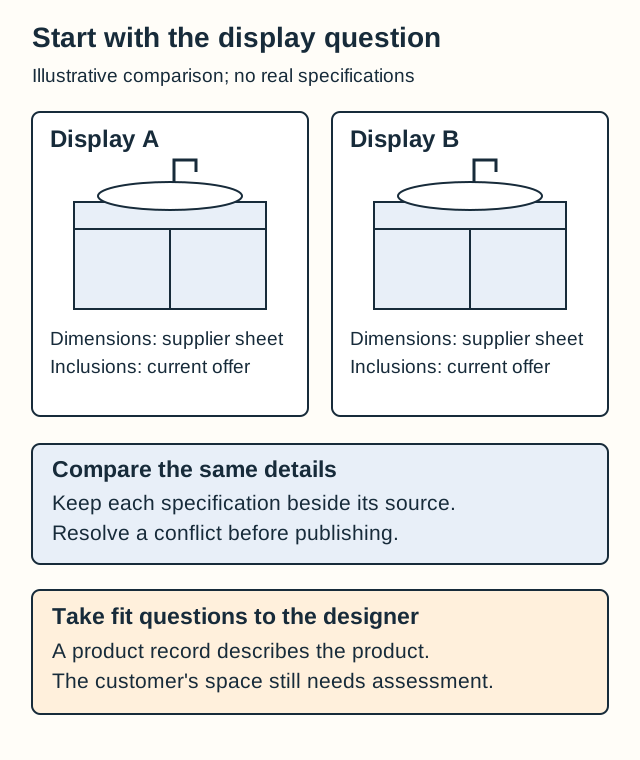
In the showroom you can open a drawer, point to the basin and explain what the display includes. Online, two similar-looking vanities need a comparison that supplies those details.
Give the agent both current supplier sheets, your descriptions and the offer you’re making. Ask it to prepare the comparison with a source for each specification and a separate note of unanswered questions. The salesperson or designer can resolve those before the page changes.
For our fictional displays, start with three questions:
| Question | Record to consult | Decision still needed |
|---|---|---|
| Are the cabinets the same size? | Current dimensions for each model. | Whether either fits the customer’s space. |
| Is the basin included? | The product record and current offer. | Resolving any disagreement between the display and offer. |
| Does that faucet come with it? | The offer’s stated inclusions. | How another selection affects the proposal. |
The finished comparison should help someone decide what to ask about. Their rough measurements remain provisional; they aren’t a fit assessment. Settle discrepancies between old pages and product sheets before using the copy.
NARI’s contractor-selection guide recommends comparing estimates for the same scope and quality. Apply that care to the display comparison: readers can’t compare inclusions properly if one column spells them out and the other leaves them unstated.
I’d begin with the difference your salespeople explain every week. They can tell whether the draft is useful, and you can finish one reliable comparison before considering a product library.
2. Tell the story of a project decision
A completed kitchen can tell a more useful story than “another beautiful room.” For kitchen remodeling marketing, explain a choice the next homeowner could discuss with your designer.
In this fictional project, the homeowner selected storage beside the preparation area. The design notes explain the preference and chosen arrangement; the photographs show what was completed. An agent could organize them into a short project account for the designer to check.
Retain the original preference, explain the decision and credit the photographs and other businesses involved. Obtain permission to share the project. You don’t need an invented testimonial or time-saving figure to make the choice interesting.
Use the account on the project page, then ask the agent for a social caption inviting readers to learn about the decision. The prospective customer gets something to discuss in a consultation, beyond admiring the photograph.
3. Prepare a customer for the showroom consultation
Ask the designer what a customer should bring to the appointment you actually offer. Pair that answer with the current booking process, then have the agent prepare a guide and appointment-message draft.
Our fictional showroom asks for photographs of the existing room and questions about displays the customer has seen. A preference such as “I like the blue door finish” gives the designer something to discuss. A customer-supplied dimension needs verification before a fit decision.
Keep those kinds of information distinct in the preparation guide. The appointment helps the customer start a conversation; it doesn’t promise a finished design on the first visit.
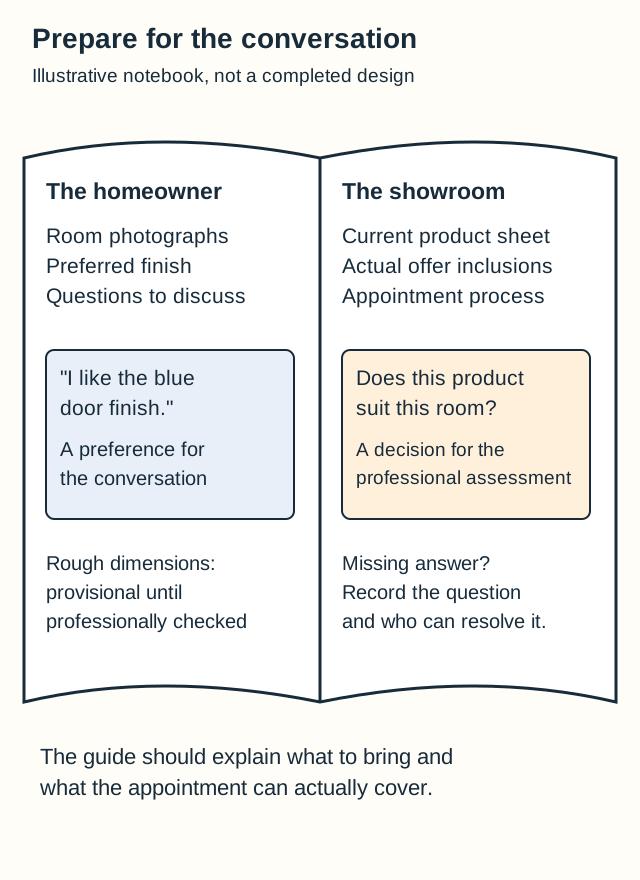
Have the designer read the guide as a customer would. Is it clear what to bring? Does it explain what happens next and match the appointment the office is booking? Among kitchen remodeling marketing ideas, this suits a showroom whose prospects repeatedly ask how to prepare.
4. Build a campaign around an actual showroom event
Suppose the showroom is holding a group introduction to finish samples. The event brief confirms the host, date, samples and booking arrangement.
The agent could use that brief to prepare an email and landing page, then compare them. If the email offers a personal design appointment, it has changed the event. Correct that mismatch before sending.
Kitchen remodeling marketing automation can help keep these details together. The host checks what the session covers; the office confirms booking availability. A supplier promotion doesn’t establish that your showroom is holding an event, and a calendar entry doesn’t reserve a customer’s place.
5. Follow up on a specific selection question
“Can we have that faucet finish with the basin we chose?”
Retrieve the customer’s question and current supplier record before asking them again to accept the proposal. An agent could prepare a response for the salesperson using the verified information. When the records don’t settle it, ask the supplier or responsible team member.
The salesperson also checks whether this selection changes the proposal. Availability, compatibility, price and installation commitments need their actual sources; a showroom photograph won’t supply them. Send the checked explanation while the inquiry remains open. If the customer has already decided elsewhere, end this follow-up.
Start with a choice your team knows
Find the supplier sheet and current offer for a display your team regularly explains. That gives you a first comparison with a clear subject and a reviewer who knows the answer.
Bring the display question to a BoastOS BoastAble services discussion about making that explanation available on the website and in customer conversations.
Prepared with AI assistance for BoastOS. The workflows and examples are proposed applications, not measured customer results.