

7 Practical Uses of AI Marketing for HVAC Companies
Revised October 5, 2026.
If your spring promotion is waiting for someone to write it, start with that. If the office is losing track of estimate questions, start there instead. AI marketing for HVAC companies becomes easier to assess once you’ve picked a piece of unfinished work.
An agent might gather the relevant information, draft the material and bring it back for approval. What it can actually do will depend on its tools, access and instructions. The following seven jobs are ideas to evaluate, not claims about tested BoastOS features. All campaigns, messages and figures used as examples are hypothetical.
1. Prepare seasonal campaigns before the rush
The spring offer has to make sense in an email and on the booking page. It also needs a shorter version for social. Writing those separately means checking the same offer several times, especially if the office changes a detail halfway through.
For our fictional tune-up campaign, give the agent this brief:
- Existing customers in the current service area can request a cooling tune-up.
- Requests close April 30 and go through the approved booking link.
- The company’s visit checklist supplies the explanation of what’s included.
- The office confirms system eligibility before offering a price or appointment.
Ask it to return an email, a service-page update and two social posts together. It should also list anything the brief hasn’t answered. The manager can then read the material as one campaign, settle the questions and approve the offer across all channels.
A possible email opening is:
We’re accepting spring cooling tune-up requests through April 30. Read what’s included in the visit and send your request through our booking page. The office will confirm system eligibility and an available appointment.
The page carries the full visit explanation. The social posts send people to it. There’s no need to squeeze the checklist into every caption, but the deadline and booking instructions must agree wherever they appear. In particular, check that a request hasn’t become a guaranteed appointment in one draft.
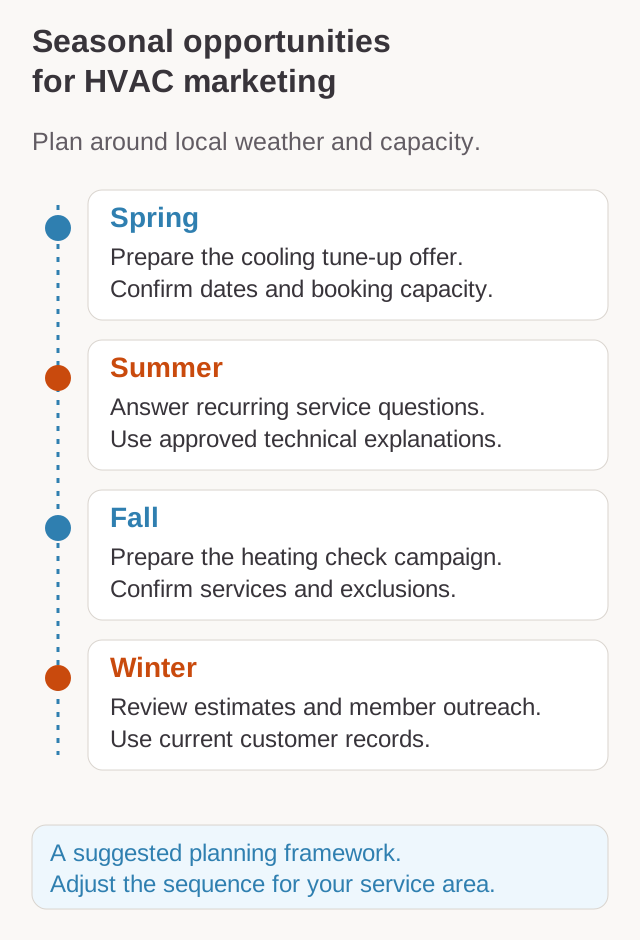
For planning dates, ENERGY STAR recommends annual preseason checks, with cooling equipment checked in spring and heating equipment in fall. Fit the campaign to your local conditions and available capacity. I’d choose this assignment if getting the material coordinated is what keeps making a seasonal offer late.
2. Turn customer questions into useful content
For HVAC marketing ideas, look at the questions callers ask before they book. “What happens during a cooling tune-up?” needs a different answer from “What if the technician finds something that needs repair?” A page that answers only the first leaves the second for the office to explain again.
Give the agent approved, anonymized questions and the company visit checklist. Ask it to put each question beside the service information that answers it, then draft the FAQ and a short social caption linking to the page. The technician can check both the maintenance explanation and the account of how additional work is discussed.
Keep a question about a caller’s noisy unit out of that general explanation. Staff need to address the individual system; a website FAQ can’t diagnose it. I’d choose this assignment if the office has recurring service explanations but nothing useful to send a caller.
3. Prepare follow-up for open estimates
Three replacement estimates are waiting in our fictional queue. One customer asked about thermostat setup. Another has booked, and the third declined. Sending the same reminder to all three would miss what the office already knows.
Ask the agent to retrieve each current proposal and the latest conversation. For the first customer, the proposal explicitly includes setup. Their draft can answer it:
Thermostat setup is included in your installation estimate. Is there anything else you’d like us to explain before you decide?
That answer rests on the proposal. If setup isn’t specified, the estimator needs to settle it. Record the booking and decline against the other two estimates, and give any proposal with no next action back to staff for a decision.
The useful result is a queue the office can work through: current status, relevant reply and unanswered question beside each record. Check prices, scheduling statements and contact preferences before sending. Choose this job if conversations keep getting forgotten after estimates go out. It needs records that show what happened since then.
4. Organize maintenance-plan outreach
Who is this message for? An active member with an unused visit needs booking instructions. Someone nearing renewal needs the agreement’s renewal details. A customer asking whether to join needs benefits and exclusions. Those situations can share a contact list, but they shouldn’t share a draft.
| Situation | Prepare from |
|---|---|
| Active member, included visit still unused | Current membership and remaining visit entitlement |
| Renewal approaching | Current agreement and approved renewal details |
| Inquiry about joining | Customer question, current benefits and exclusions |
In our example, the active member’s records confirm an unused cooling maintenance visit. A message could explain that it is included and ask them to contact the office to request an available appointment. Put the entitlement beside the draft for the reviewer. An old invoice won’t establish current membership; unclear eligibility needs checking before outreach.
This HVAC marketing automation job fits late member communication supported by reliable plan records. If the records can’t distinguish the three situations, repairing that gap comes first.
5. Build stories from completed jobs
The installation photo is ready. The story still needs the reason for replacement, equipment description and account of the crew’s work.
Give the agent permissioned images and the technician’s approved notes. Ask for a website story with a shorter social caption, matching the explanation to the photographs. The technician checks the work description and resolves unclear details; the office confirms what may be shared.
A caption saying the customer now has lower bills would need evidence of those bills. The expected benefit in a sales proposal doesn’t supply it. Use an actual approved quotation if the customer is quoted. This job is worth trying when you have material from completed work but no public account explaining it.
6. Coordinate review requests and response drafts
For a recorded service visit, ask the agent to check whether a request has already been sent and prepare a neutral invitation:
Thank you for choosing us for your service visit. If you’d like to share your experience, please use this link to leave an honest review.
Google’s review policy prohibits incentives and selectively soliciting positive reviews. Apply the process consistently, rather than choosing recipients because their service notes sound happy.
The same assignment could gather incoming reviews and prepare responses. Staff approve replies, investigate complaints and leave private service details out of public discussion. Choose it when requests or unanswered reviews are getting lost in the office queue.
7. Review which campaigns lead to inquiries and booked work
Our invented tune-up campaign has ten inquiries with its source recorded: six booked, two declined and two have no outcome recorded. The report should preserve all ten, including the unfinished records.
| Recorded outcome | Inquiries | Office task |
|---|---|---|
| Booked | 6 | Confirm the associated booking |
| Declined | 2 | Read any recorded reason |
| Missing | 2 | Find the latest conversation or assign follow-up |
These are illustrative numbers, not benchmarks. An agent could join the source, inquiry and booking records, then return the unresolved items to the office. Keep inquiries with unknown sources in a separate list. A call arriving during the campaign isn’t automatically a campaign inquiry.
Look at the questions too. If several callers asked which systems qualify, inspect that explanation on the offer page. It gives the manager something specific to review without predicting that an edit will produce more bookings.
A person could see a post and telephone without a tracked link. Another could already intend to book. Record those attribution limits with the figures: they show the sources and outcomes you captured, rather than prove which message caused a booking. If the records aren’t available yet, begin with inquiry and outcome logging before assigning the report.
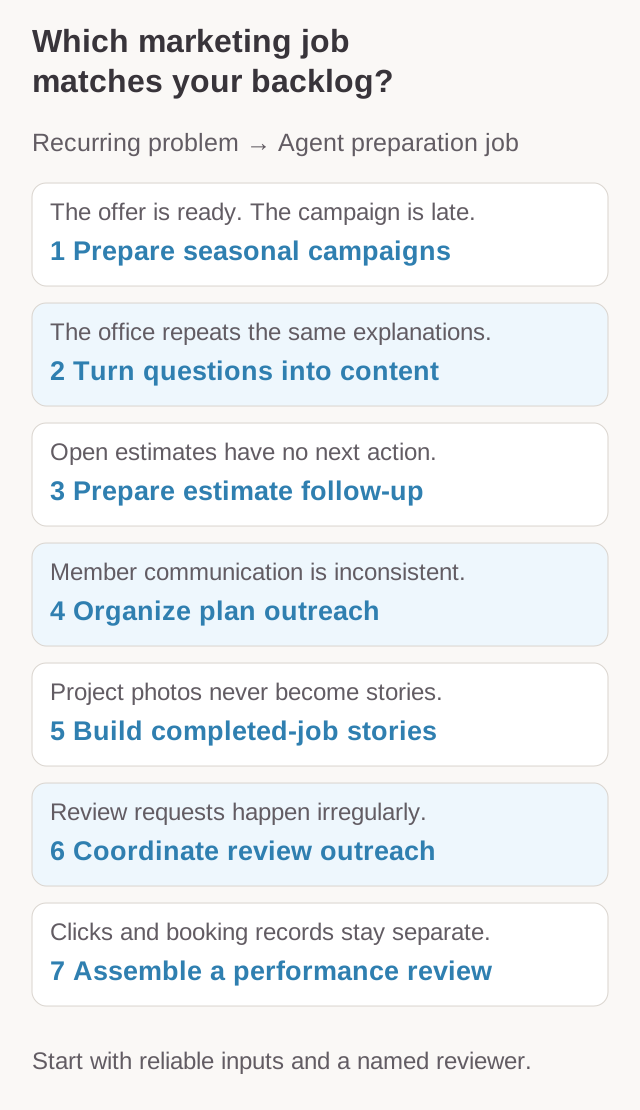
Choose the job that matches the backlog
Open estimates with unanswered questions make follow-up a reasonable first assignment. A working maintenance plan with late messages points toward member outreach. Choose according to usable records and a reviewer available to work through the result.
Inspect a small run before extending the assignment. Compare campaign drafts with the offer and follow-up drafts with the latest estimate records. Include questions returned to staff in your assessment of the work still needed.
Start with one marketing workflow explains how to narrow that assignment. Bring the job and its source material to a BoastAble implementation services discussion.
Prepared with AI assistance for BoastOS. The workflows and examples are proposed applications, not measured customer results.